Your 24/7 Multi-Role B2B Assistant That Never Misses an Opportunity
Raymera Chatbot supports your customers 24/7. Automate technical helpdesk tasks, organize booking inquiries, and capture revenue opportunities effortlessly.
 Explore Plans
 Get Started








Transforming Growth One Stage at a Time
Forcing technical and financial teams to share platform access, exposing sensitive billing data to operators, and risking compliance with poor security boundaries.

- Shared admin accounts
- Exposed financial data
- Compliance vulnerabilities
- Accidental system changes
- Fragmented security
Secure your business with dedicated role-based access. Keep technical workflows and financial management in separate, isolated workspaces to align your teams securely.
- Role-Based Access Control
- Dedicated finance & tech logins
- Isolated team workspaces
- Strict data protection
- Total operational alignment


Raymera Chat combines contextual greetings, instant AI-powered answers, and intelligent enquiry routing to help businesses support website visitors, respond to customer questions, and manage incoming conversations efficiently
Customer Interaction Footprint
 Proactive Engagement
Let visitors share their questions and relevant details through natural conversations. Organize customer-provided information to help your team understand enquiries and respond appropriately.
24/7 Customer Assistance
 Zero Wait Times
Provide timely answers to common questions using your approved business information, even when your team is offline.
Intelligent Enquiry Routing
 Smart Handoffs
Direct incoming enquiries to the appropriate department or team member based on configured routing rules.
Customer Interaction Insights
 Performance Insights
Review conversation volume, common questions, response activity, and engagement trends to improve the customer experience.
Everything You Need for Smarter Website Engagement

-
Contextual Welcome Messages

-
24/7 Customer Assistance
-
Conversational Enquiry Collection
-
Customer Interaction Analytics
-
Intelligent Enquiry Routing
-
Interaction Relevance Assessment
-
Contextual Engagement Rules
-
Live Team Handoff Workflows
-
Dedicated Cloud Workspace
-
Simple Website Integration
Get Started with Raymera Chat
Deploy your AI assistant in a few simple steps to help visitors find information and connect with your business.
Create Your Workspace
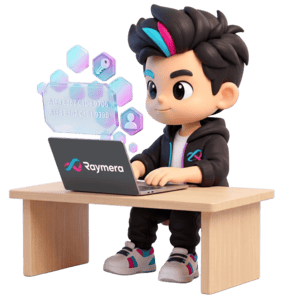
Set up your Raymera account and configure a dedicated workspace for your business.
Connect Your Website
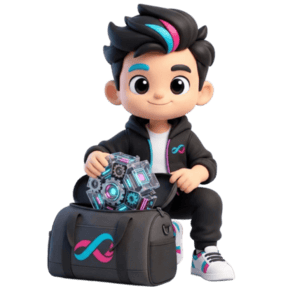
Add the lightweight chat widget to your website using the provided embed code.
Customize Your Assistant

Configure welcome messages, approved knowledge sources, conversation settings, and enquiry-routing rules.
Support Customer Interactions
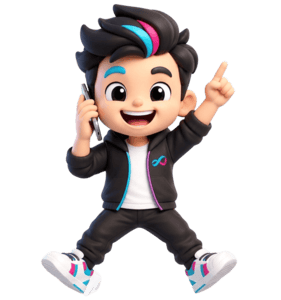
Answer visitor questions, organize voluntarily shared information, and direct enquiries to the appropriate team.
Help website visitors understand your services, request demonstrations, schedule appointments, and connect with your team when they need further assistance.
Improve Customer Engagement with Intelligent Assistance

Make Business Information Accessible
Give visitors quick access to answers about your products, services, pricing, and business policies using your approved content.

Reduce Delays in Enquiry Handling
Organize incoming enquiries and direct conversations to the appropriate team, helping staff respond efficiently.

Deliver Consistent Customer Support
Provide around-the-clock assistance and help visitors reach a human representative when their questions require additional attention.
Configure Raymera Chat for customer assistance, product guidance, enquiry handling, appointment coordination, and internal knowledge access.

AI Reception Assistant
Welcomes website visitors, answers common business questions, and directs enquiries to the appropriate department.

AI Product Consultant
Explains product features, compares available options, and helps visitors understand which solutions may suit their stated requirements.

Business Enquiry Assistant
Asks relevant questions to understand a visitor's request, organizes information voluntarily shared during the conversation, and routes the enquiry to the appropriate team.

Customer Support Assistant
Answers common support questions using approved documentation and helps customers find the right resources.

Technical Support Assistant
Assists users with step-by-step troubleshooting, surface-level diagnostics, and complex technical queries. It seamlessly retrieves relevant documentation and manuals to help users resolve issues independently.

Product Guidance Assistant
Provides information about plans, features, and services based on the customer's stated needs and your published product information.

Appointment Scheduling Assistant
Helps visitors request or schedule demonstrations, consultations, and meetings using your configured calendar workflows.

Customer Onboarding Guide
Guides new customers through setup, product features, and recommended first steps.

Business Knowledge Assistant
Searches approved company documentation, FAQs, and knowledge sources to provide relevant answers to employees and customers.
Custom Business Assistant
Every business has different workflows and customer needs. Create a customizable AI assistant that reflects your business processes, communication style, and operational requirements.
Configure its name, responsibilities, approved knowledge sources, tone of voice, objectives, and behavioral boundaries. Use it for customer enquiries, product information, internal knowledge assistance, onboarding, or other supported business tasks.


See How Raymera Chat Fits Your Website Engagement Workflow!